The same data, entered twice
Connect field entries, office approvals and financial records so information can move through an agreed workflow.
Custom software for established construction businesses
Bring your field, office and financial workflows together with custom construction software. Keep the tools that work, connect your data and build what your operation is missing.
Discuss Your WorkflowTell us where work gets stuck. We will map the requirements and propose a focused first phase.
See a Real Implementation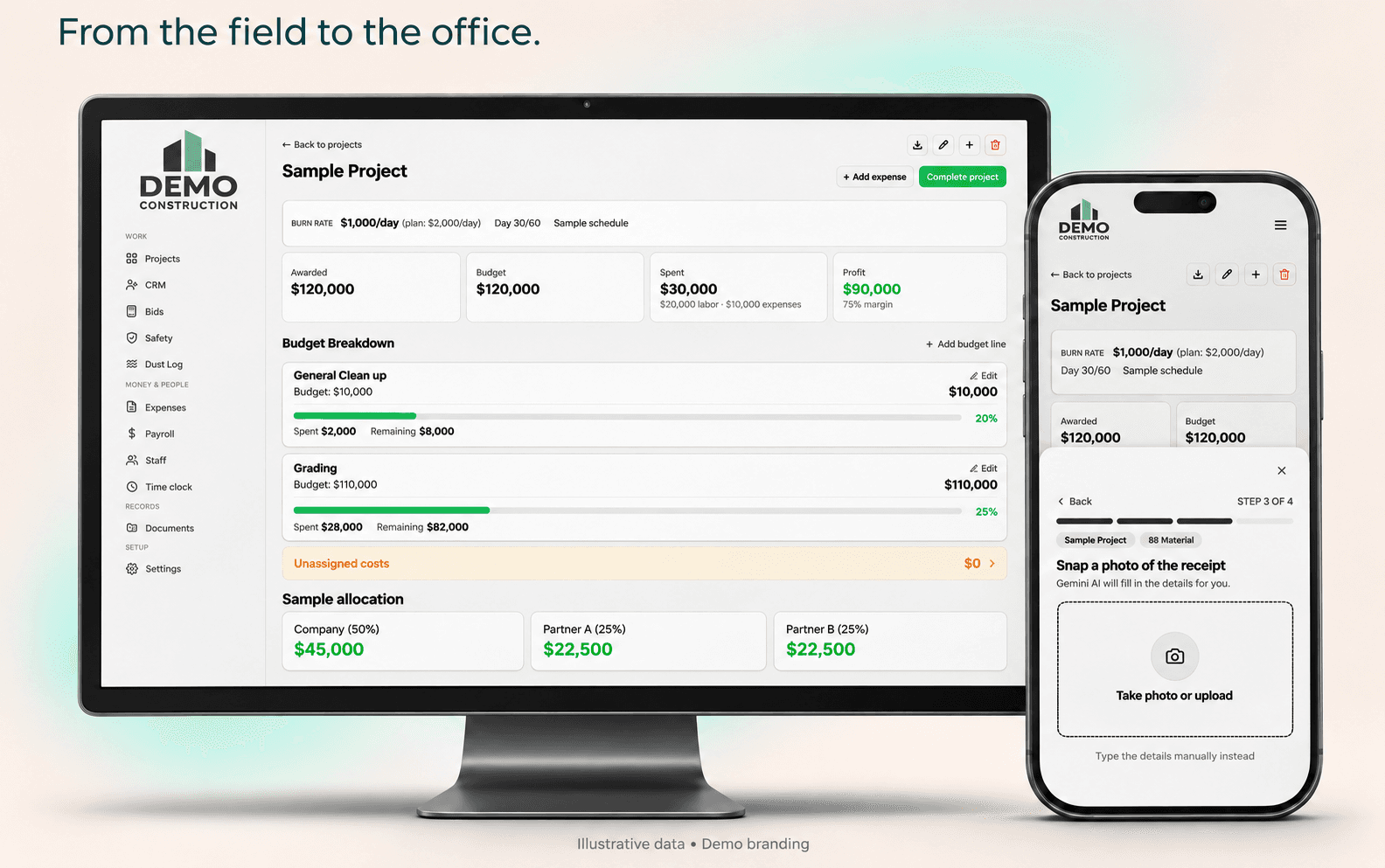
Connect field entries, office approvals and financial records so information can move through an agreed workflow.
Bring the information your team needs into a shared operational view, with access defined for each role.
Build the missing steps around your business instead of maintaining another spreadsheet outside your main systems.
One connected operation does not mean replacing every tool. We check your systems, available integrations and data before proposing what to connect, adapt or build.
See the system
Review the job budget in the office while your crew captures receipts on their phones.
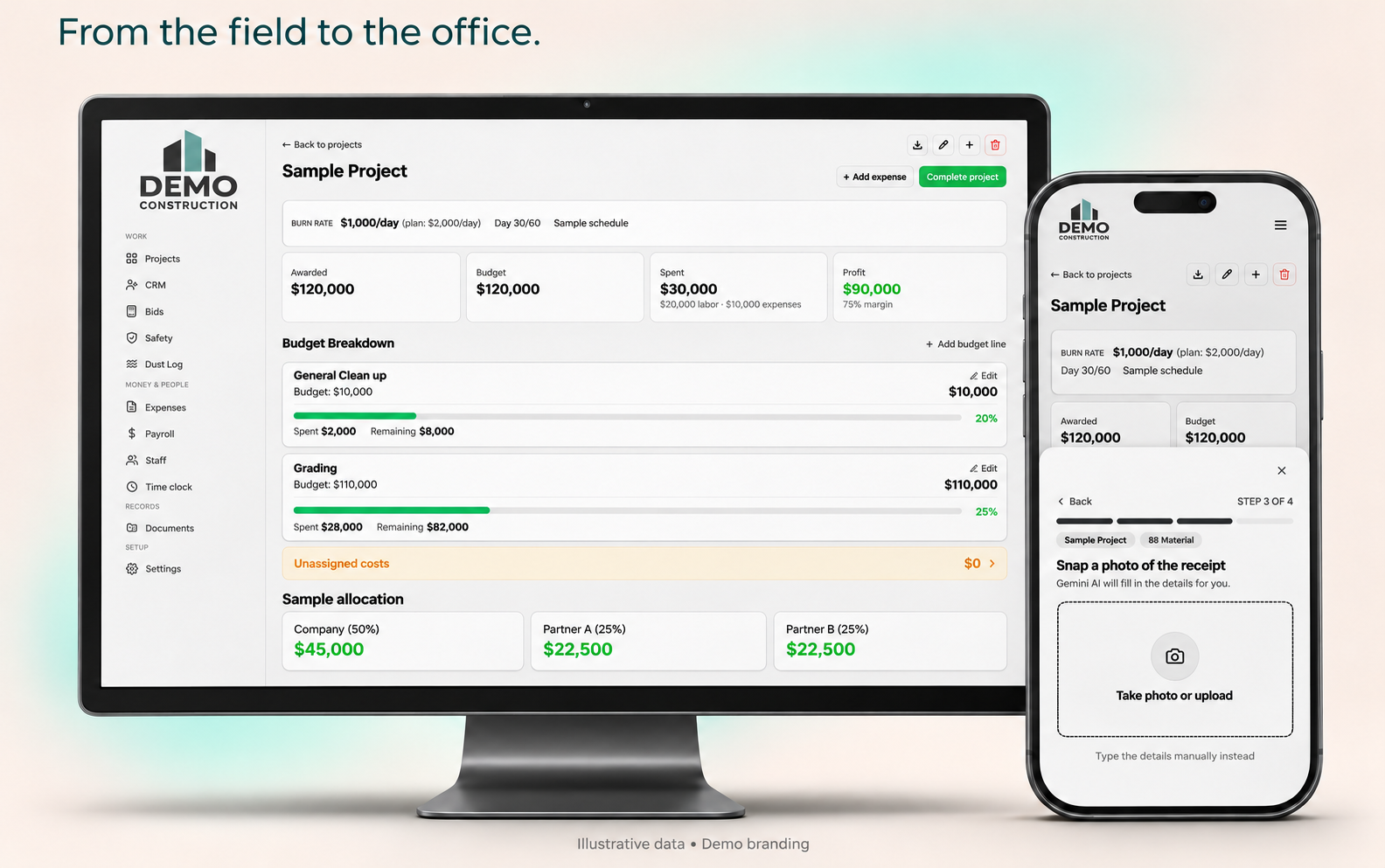
A real implementation
We built a custom system for a construction company that fully replaced its use of Procore. The company now runs its workflows in the software we delivered, with QuickBooks integration.
The important part is the workflow: field entries, office review and financial information connected around the way the business operates. Your scope starts with the gaps in your own systems.
Client identity is private. This is one implementation, not a promise that every Procore feature or workflow can be replaced at the same cost.
Start with the work that takes too much time or hides your job costs. Build a system your team can actually use.
Bring labor, materials and expenses together by job. See the difference between the estimate and actual costs while there is still time to act.
Capture receipts from the field, extract the details and let the office review them. Keep the document attached to the job it belongs to.
Record time against projects so the office can review labor costs without rebuilding the week from messages and spreadsheets.
Keep bids, proposals, job details and invoices connected. Start with the workflows your team needs, then add the rest.
Built into our existing construction system
These are workflows we have already implemented. Your proposal selects the modules you need and defines how they will work for your company.
Track awarded amounts, budget lines, approved changes and actual expenses by job. Keep pending changes separate from approved budgets.
Build estimates with labor, equipment and other costs. Generate separate client proposals and internal cost PDFs. AI can prepare a first draft from plans for your team to review.
Keep inquiries, clients and follow-ups together. Connect a lead to its estimate, send a proposal for electronic signature and carry the won opportunity into a project.
Photograph a receipt and review the extracted details before saving the expense. An offline expense queue holds submissions until connectivity returns.
Collect crew hours, employee initials and office approvals. Export period records for the payroll provider. Payroll processing remains with your payroll team.
Prepare job hazard analyses with crew signatures and maintain dust-control logs. Adapt the forms to your operating requirements.
Find signed proposals, safety reports and staff documents in one place. Filter records, view or print them, and combine selected documents into one PDF.
Review budget consumption, labor and expenses by project, with downloadable reports. Historical labor entries retain the rate recorded at the time.
Give crews a focused place for their daily entries while the office handles review, approvals and reporting. Configure access around each role.

Your accounting does not need another disconnected spreadsheet. We connect your custom system to QuickBooks Online so the office can follow job costs and invoices without entering the same information twice.
Integration scope depends on your QuickBooks edition and current setup. We confirm both before quoting.
Compare the full cost: implementation, data migration, hosting and ongoing support. The proposal makes each part clear.
We map where work gets stuck, which systems your team uses and the requirements for a focused first phase.
You get a written scope covering features, QuickBooks integration, migration, training and ongoing support.
Your team tests the workflows and migrated records before rollout. We define ongoing support and plan further improvements around what your operation needs.
For the owner
Review estimated and actual costs, open invoices and missing expenses by project. Discuss which numbers you need each week, and build the view around those decisions.
Tell us which decisions your current reports cannot support.
For the office and controller
Keep receipts attached to expenses, check how costs are assigned and agree on what moves to QuickBooks. Define who reviews a record before it affects reporting.
Bring an example of your month-end reconciliation.
For the field team
Start with the information crews already capture: time, receipts and job updates. Design the entry steps around their phones and daily routine, then test them with the people doing the work.
Show us how a crew submits hours or a receipt today.
A system built around your operation. Your proposal defines which existing tools stay, which connections are needed and which workflows we develop specifically for your team.
You do not need to decide on a full replacement during the first call. Start by checking whether we can solve the work that is costing you time.
Discuss Your WorkflowIt makes sense when the way you work is settled, but your tools keep getting in the way.
An existing product may be the better choice if it already handles your work well. If a project requires a platform mandated by a general contractor or owner, we check that dependency before proposing a replacement.


Leo Agostini and Vlademir BinFounders, Cazullo
We build custom software around the way your construction business works, from field expenses to job costs and QuickBooks integration. You work directly with us, and a partner reviews the work before delivery.
This is a custom implementation for your business, starting from construction workflows we have already delivered. We demonstrate the existing system, identify what needs adapting and agree on scope and price before development. Hosting and ongoing support are priced in the proposal.
We have done that for one construction company, which canceled Procore after moving to the system we built. For your business, we first map the features, records and integrations you depend on. Replacement is only proposed when the agreed scope covers those needs.
We scope the workflows, integrations, migration and rollout before quoting. Your proposal separates the initial implementation from hosting, maintenance, support and future changes. The investment depends on the requirements, not a standard subscription tier.
Yes. We build integrations with QuickBooks Online. Before quoting, we check your edition, the records you need to exchange, the direction of each connection and the review steps your accounting team needs.
No. We start with the tools that already work for your team and identify what should connect or change. Integration depends on available APIs, your software editions, permissions and data. We confirm feasibility before agreeing on the scope.
You own the code, accounts and data for your custom system. The proposal defines hosting, maintenance, support and handover, so you know the ongoing cost before work starts.
The schedule depends on your workflows, integrations and migration. After reviewing your requirements, we define a focused first release and agree on milestones before development starts.
Tell us which systems your team uses, where information gets stuck and what you need to work better. We will contact you within two business days to discuss your requirements and a focused first phase.
For established construction businesses with multiple jobs, teams and systems to connect.
contact@cazullo.com